Collaborative release is not appearing on all participating artist profiles

I have a question regarding a release that was published today and submitted through iMusician as a collaboration between three of my artists.

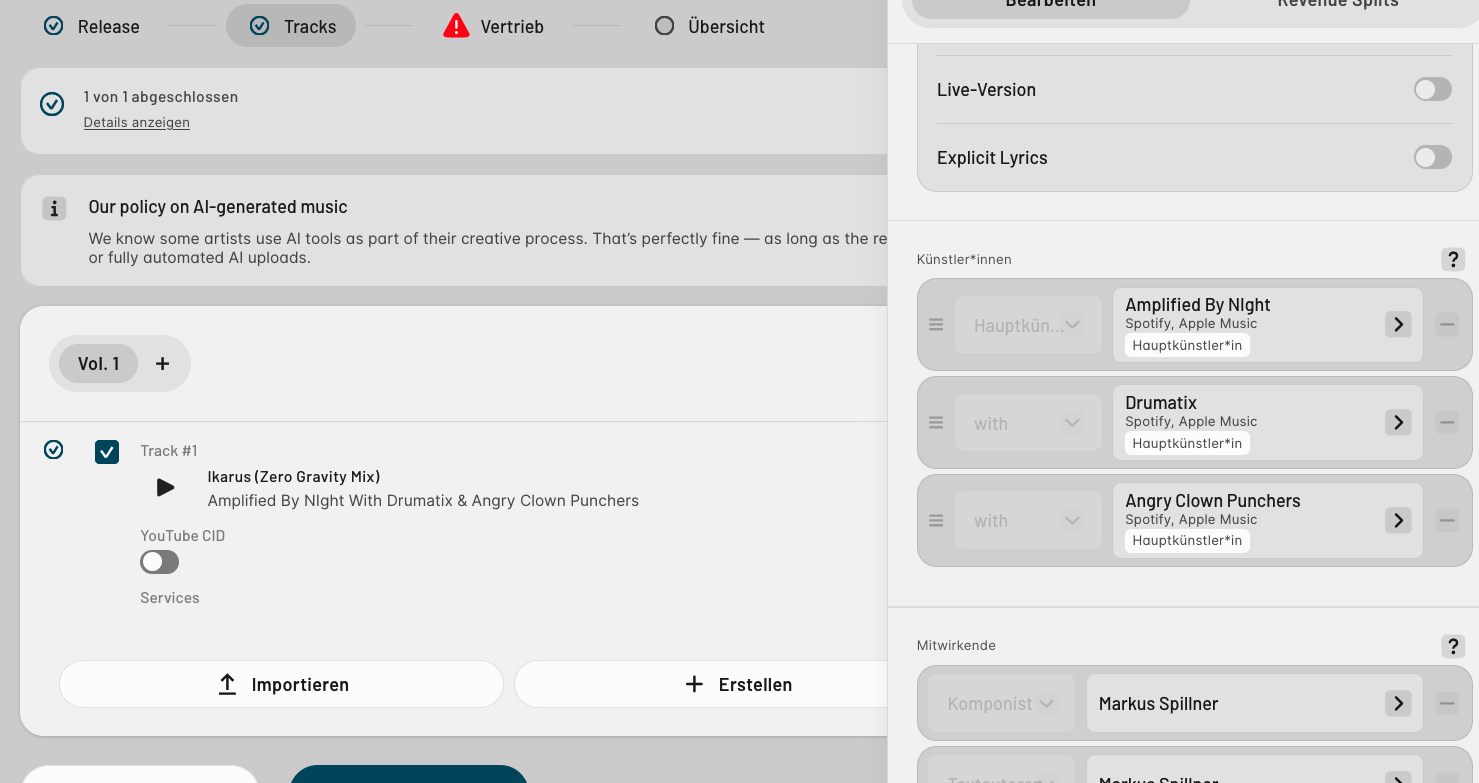
I entered all three participating artists correctly when creating the release. However, after the release went live, I noticed that, for example on Beatport, it appears to be assigned only to the first/main artist profile. The release does not appear on the artist profiles of the other two participating artists.

Release title:
Ikarus (Zero Gravity Mix)

Barcode:
EAN 4071624119016

Participating artists:

  1. Amplified By NIght
  2. Drumatix
  3. Angry Clown Punchers

My question is whether it would be possible to correct or update the artist mapping of the already released title, so that the release is also correctly displayed on the profiles of the other two participating artists.

I have already tried submitting the release two additional times, each time putting one of the other artists in the first/main artist position, so that the release would also be associated with their artist profile. Unfortunately, iMusician does not allow me to do this because the system recognizes that the release and/or audio file already exists.

If I select the existing audio file from my iMusician library instead, the original artist assignment is automatically retained. This unfortunately means that I cannot solve the issue this way either.

Therefore, I would like to ask whether you can manually adjust the existing release on your side and/or resend the correct artist metadata to the stores, so that the release is properly associated with all three participating artist profiles.

If you need any additional information or screenshots from me, I will of course be happy to provide them.

Thank you very much in advance for your help and for looking into this!

Best regards,
Markus
Hello @DRUMATIX,

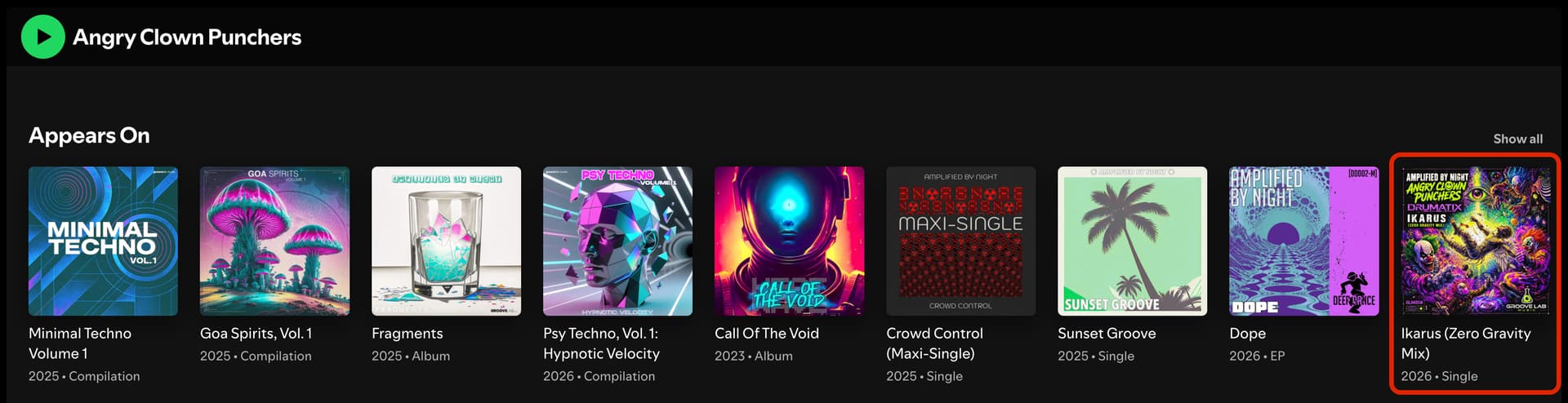
The release is displayed in the Appears On section of Drumatix & Angry Clown Punchers which is normal since you credited them as secondary artists with the role “With”.

This is displaying is normal, as explained here: Which credits are essential for a release? | iMusician

If you want to change that, please refer to this page: Can I make modifications to my release? | iMusician

Best,

Hi Carlos,

thank you for your explanation. I understand that the “With” credit is displayed correctly in the Appears On section on Spotify and that this is normal for secondary artists.

However, my question is specifically about Beatport, where the situation is different.

On Beatport, the release “Ikarus (Zero Gravity Mix)” (EAN 4071624119016) is currently linked only to the Amplified By Night artist profile. It is not linked to the Beatport artist profiles of Drumatix and Angry Clown Punchers, even though both artists are correctly credited as participating artists in the iMusician release metadata.

I understand from your reply and the FAQ that the artist information of an already delivered release cannot simply be changed.

My actual question is therefore about an alternative upload:

Would it be possible to create and distribute a separate version of the same release for Beatport, with:

  • Drumatix as the primary/main artist for one submission
  • Angry Clown Punchers as the primary/main artist for another submission

while keeping the same recording/audio and the same release, so that Beatport associates the release with each respective artist profile?

I already tried exactly this approach. However, iMusician prevents me from submitting the release again because the release/audio file already exists. If I select the existing audio file from my iMusician Library, the original artist assignment is automatically retained.

This is the part I would specifically like you to clarify:

Is there any way on your side to allow or process these alternative submissions, or is there another procedure you recommend for getting the existing release linked to the other two Beatport artist profiles?

I am not asking to change the existing delivered artist metadata if that is technically impossible. I am asking whether there is a way to achieve the correct Beatport artist-profile mapping through an additional/alternative delivery.

This is important because the current “Appears On” solution does not solve the problem on Beatport: the release is simply not associated with the other artists’ Beatport profiles.

Could you please specifically advise me what the correct procedure is for Beatport in this situation?

Thank you!
Markus

Create a separate release only for Beatport and credit both artists as “Main” rather than “With”.

Best,


Hi Carlos,

thank you for your reply and for suggesting that I upload the release again specifically for Beatport, with Drumatix and Angry Clown Punchers set as Main Artists instead of “With”.

I have now tried exactly that — actually for the third time — but unfortunately I run into the same problem again, and I think I have now identified exactly where it happens.

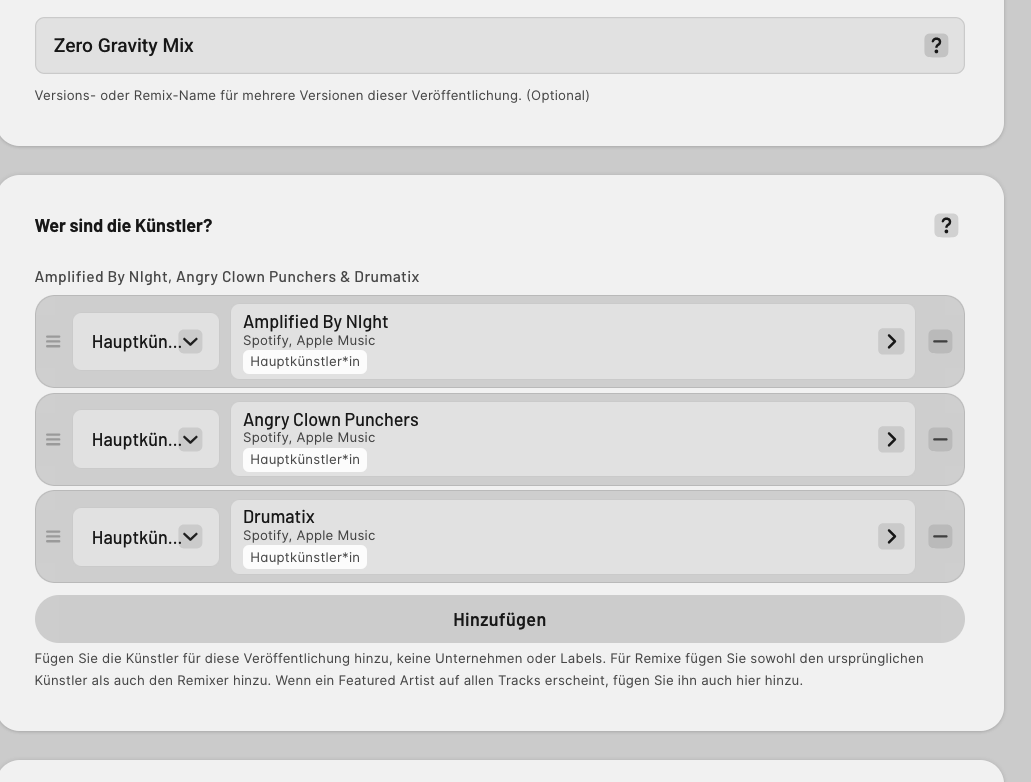
I created the release again and set all three artists as Main Artists, exactly as suggested. I can also show this in a screenshot.

When I then proceed to the audio upload, I upload the same audio file again and enter the title/version information correctly.

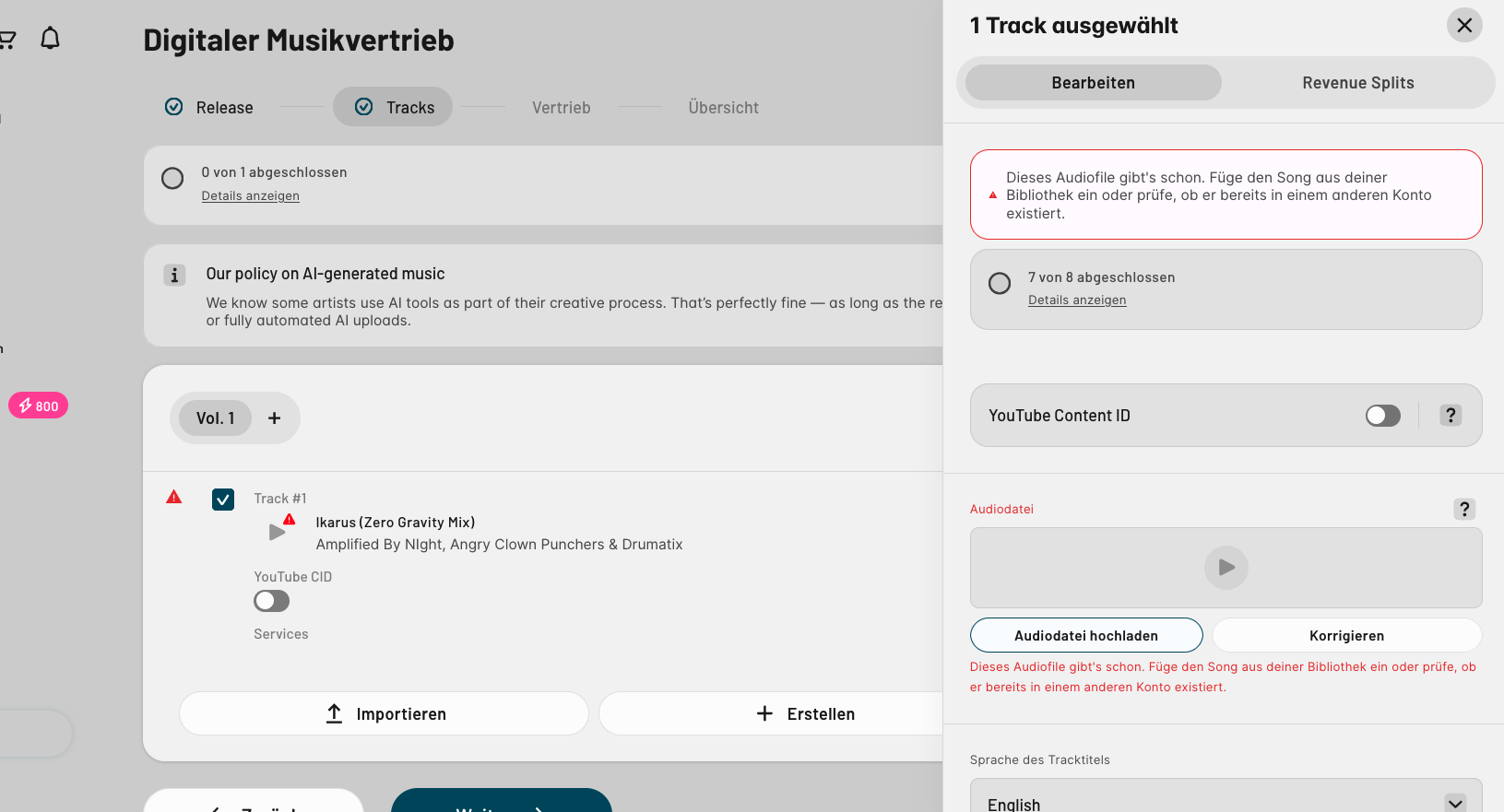
However, when I get to the credits/audio step, iMusician tells me that the audio file cannot be used because it already exists in the system. I am then given two options:

  1. Upload the audio file again
  2. Use the existing audio file from my iMusician archive

The first option unfortunately does not work. iMusician starts processing the upload but ultimately brings me back to the same message that the audio file already exists.

The second option — using the existing audio file from my archive — is where the actual problem occurs:

As soon as I select the existing audio file, iMusician automatically changes my artist setup back to the original configuration, where Drumatix and Angry Clown Punchers are assigned as “With” artists rather than Main Artists.

So although I initially created the new release with all three artists correctly set as Main Artists, the system automatically inherits the artist configuration from the original audio-file record when I use the archived file.

This means that I currently have no way to complete the alternative Beatport upload with the artist configuration you recommended.

I have already tried creating the release several times, and I am following the procedure you suggested. The problem is that I cannot create a genuinely independent audio entry because iMusician recognizes the audio as an existing file and forces me to use the archived version — which in turn restores the original “With” artist setup.

Could you please help me with this specific technical issue?

Is it possible for you to:

  • allow me to upload the audio file again as a new/independent audio file, without inheriting the artist credits from the existing file, or
  • manually adjust/reset the existing audio-file metadata on your side so that I can use it with the new Main Artist configuration, or
  • manually create/process the alternative Beatport delivery on your side?

I can provide screenshots showing both steps: first, the release with all three artists correctly set as Main Artists, and then the point where selecting the existing audio file automatically changes them back to “With”.

I really want to get this resolved specifically for Beatport, because the current release is only connected to the Amplified By Night artist profile there, and the release is still missing from the Beatport profiles of Drumatix and Angry Clown Punchers.

I would really appreciate it if you could take a look at this from the technical side, because I seem to be stuck in a loop where the system does not allow me to create the alternative upload in the way you recommended.

Thank you very much for your help!

Best regards,
Markus

Hello @DRUMATIX,

Since you’ve already distributed and assigned the recordings to some metadata, you cannot simply re-upload it with different ones. If you want to re-distribute the release with a different set of metadata, you will need to upload new audio files and specify that this release is different from the original (e.g. add “Beatport Version” in the title version field).

Understand that what you’re trying to “solve” is not a problem in itself. The fact that Beatport doesn’t display secondary artists isn’t something that you can “fix”, it’s how they operate as a platform.

If Drumatix and Angry Clown Punchers are meant to be Main artists, that applies to all DSPs, not only on Beatport. Why didn’t you credit them as main artists in the first place?