Hi everyone, I need some help with an iMusician release.
I have a song already released, EAN: 4069493949476.
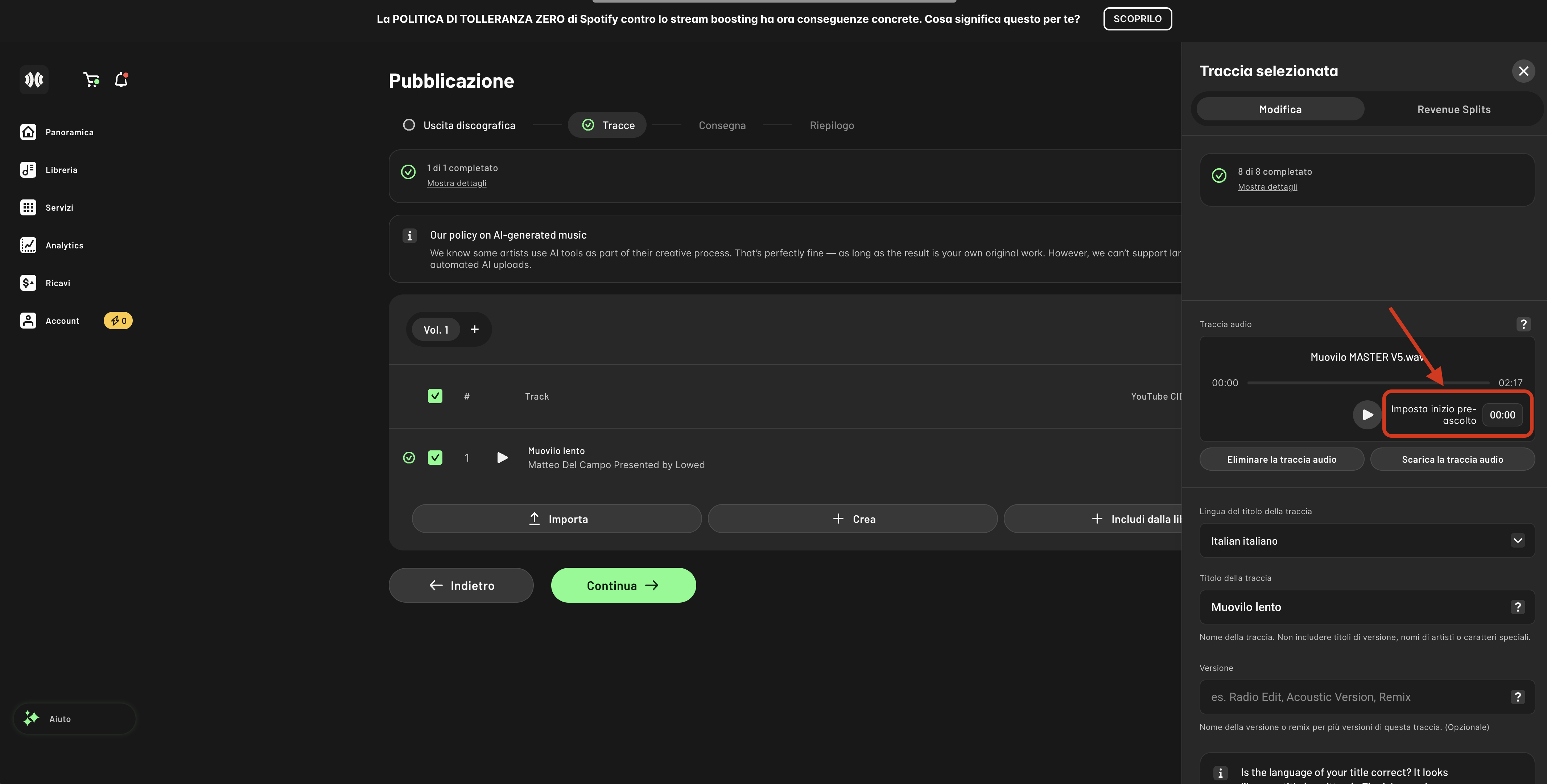
I would like to understand how to add or edit the key points of the track, especially the preview/start point for the audio clip used on platforms like Instagram, TikTok, Facebook, etc.
Basically, I want the social media preview to start from the hook/chorus, around 1–2 seconds before the main part of the song, instead of starting from the beginning.
Does anyone know where this can be set inside the iMusician dashboard?
And is it still possible to change it after the release has already been published?
Thanks in advance for your help!