I have uploaded some songs that were originally created in 2021, but when they are published on Spotify, the ℗ year appears as the current year (in this case, 2026).
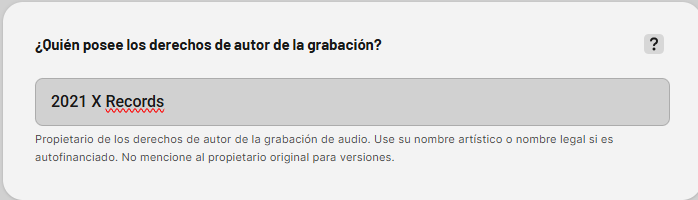
Do you mean that if I place the year before the label name, both the C and P year will appear as 2021 on Spotify? I’m attaching an example image for reference.
Keep in mind what Carlos mentioned above: if you have a specific barcode (EAN) for these releases, having it ready helps the team track the metadata more easily if you ever need manual support!
Excellent. I just have one question: the only place where I can enter this information is in the field shown in the image I attached. Does this format apply to both the C year and the P year? I suspect it does.
If not, could you please help me identify exactly where I should enter this information so that both values appear with the correct year (2021) at the bottom of the Spotify page?
That’s incorrect. If you enter the date directly in the text field, it will simply either be displayed next to the actual copyright year (based on the indicated digital release date or the original release date) or removed during the quality check.
@juanp I reiterate my question: can you please share the barcodes of the releases you are refering to so I can help you?
Sorry Carlos, I didn’t do it on purpose! I mixed up the fields/options while replying too quickly. My bad! I’ve noted the correct way now so it won’t happen again. Thanks for catching that!
I’m not referring to any specific release — this is more of a general question.
I have two releases: one that I uploaded some time ago and later requested to be taken down (from 2021), and another one I’ve recently finished but haven’t uploaded yet (2024). What I’d like to know is whether I can enter that information manually, or if I necessarily need to contact you to have it updated.
In any case, the last release I uploaded is this one: 4069493722192. If there’s any way to set it to 2021 by default, that would be great.
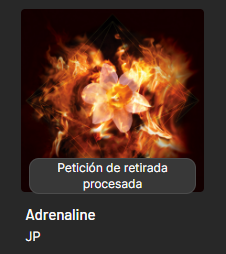
This release was taken down as shown on your dashboard:
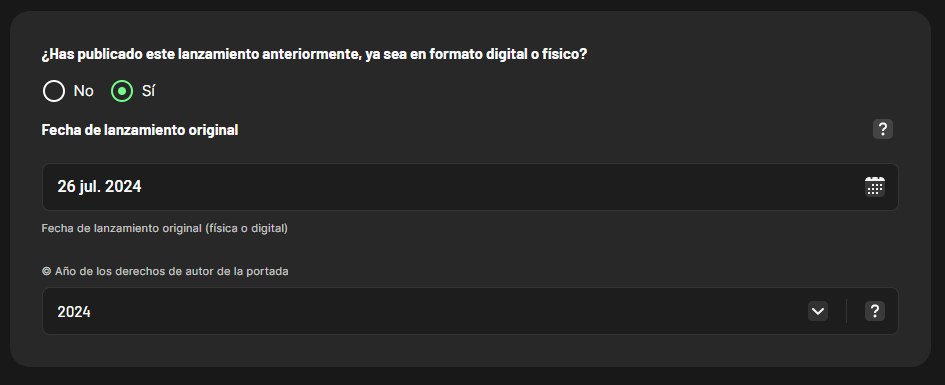
If you need to add an original release date, you can do so during the order process in this dedicated field and the ℗ year will automatically match the year you selected:
I’ve tried configuring the release as suggested, but I’m running into an issue. When I upload it this way, the copyright year (C) is set correctly to the intended year, but the phonographic year (P) defaults to the current year (in this case, 2026).
I want to make sure that both the (C) and (P) years reflect the exact year I choose.
Could you please confirm where exactly I should input this information to ensure both years are set correctly when uploading the release?
You cannot “input” this information as it is automatically determined by the release date you choose (or the original release date if you select one)
In this case it seems to be because you had initially selected a date set to 2026 when you placed the order. I’ll ask our team to change this in the backend, you can go ahead with completing the order
It cannot be adjusted manually in the sense that it doesn’t have a dedicated field, but it’s automatically set based on the releae date (or original release date) you select. If you enter the right date straight away, it’s not necessary to notify us
When I upload using the original release date (for example, 2021), the C-year (copyright year) shows correctly, but the P-year (publishing year) gets set to the current year, in this case 2026. I understand there are two fields: one for the original release date and another for the digital release date, which I understand is used when re-releasing the music or making it available again on platforms.
If you mean the digital release date, the system doesn’t allow me to set it to 2021 for obvious reasons. Can you help clarify this? Every time I’ve tried to upload it correctly, it never shows properly.