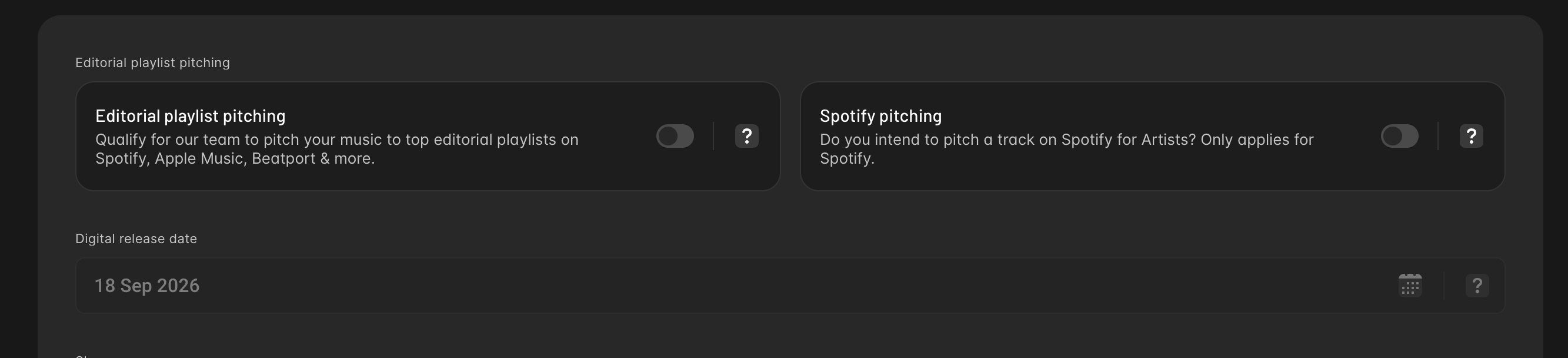
Hi. I’m preparing my first release, “economy boyfriend,” scheduled for 18 September 2026.
While setting up the artist, I accidentally selected an existing artist profile named “pando” instead of creating a new one because it said there’s a similar artist name on Apple Music and the button said “Use Existing”, which I thought meant “Use the same name anyway with a new profile link”. That existing profile belongs to a different artist, not me. I now can’t detach or delete it, and I can’t change the artist on my release. As a web developer, I have to say, this is really bad UI. Way too easy to accidentally make such a permanent mistake.
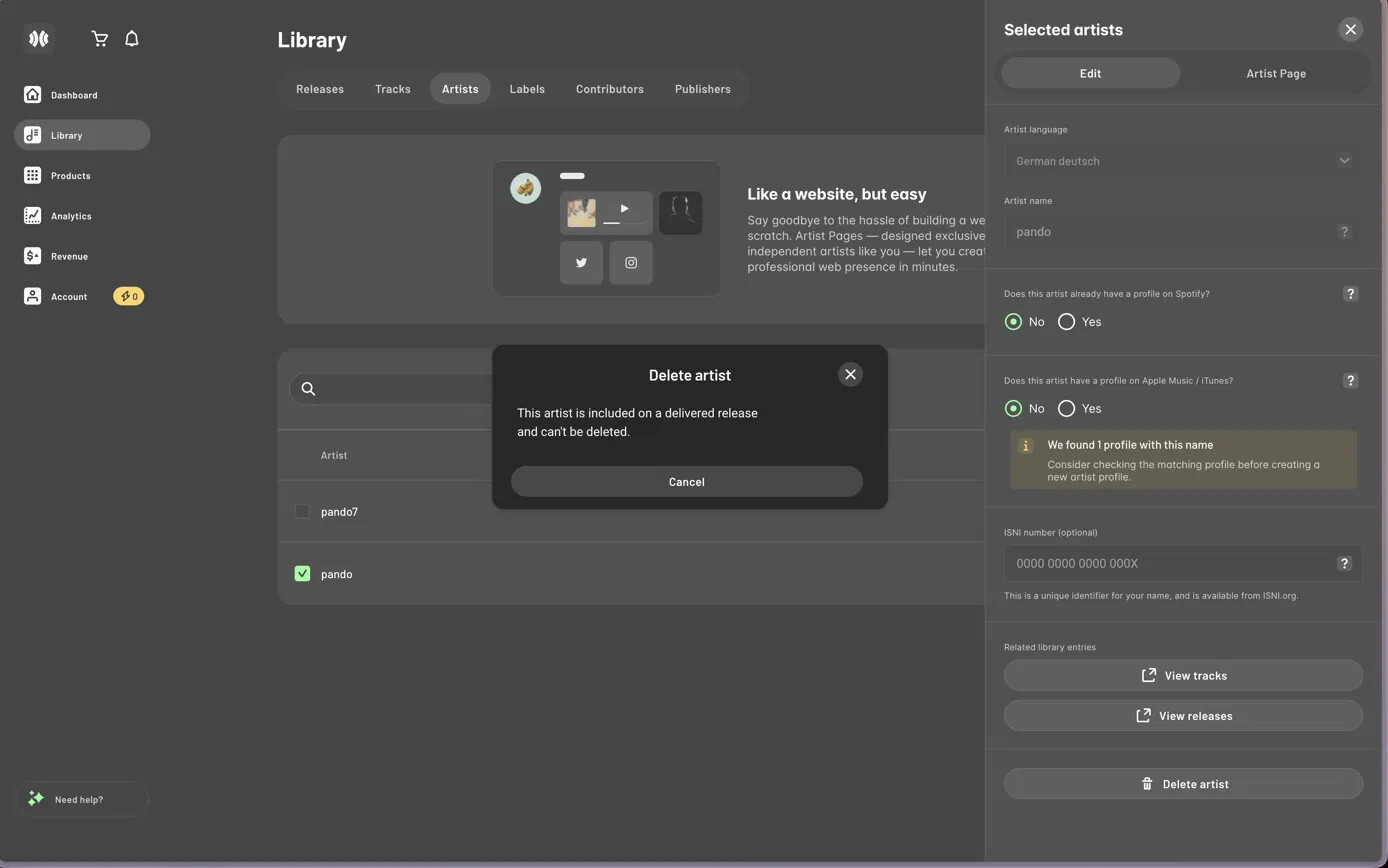
Could you please link my release to a NEW artist profile - under the name “pando”, rather than the existing one? If you genuinely can not have the name “pando” since it already exists, just make it “pando7”. If possible, keep pando as display name and pando7 as the username if that is a thing at all. i see multiple artists with the same name on spotify all the time, so it shouldn’t be an issue.
I have not released music before under any name. Also, the artist language should be English, not German.
I also had another issue when releasing which was that the spotify pitching was greyed out and unclickable without any information as to why. After researching, I found that it’s usually because the other option next to it was selected. But that was not my case as both options were unselected. If possible, please turn the Spotify pitching on, I want to manually pitch my song to platforms, including Spotify.
BARCODE: EAN 4071624139502
Thank you.
Have a nice day!